-
To find your “ID number” from our Facebook app, please follow the steps below.To find your “ID number” from our mobile app, please follow the steps below.
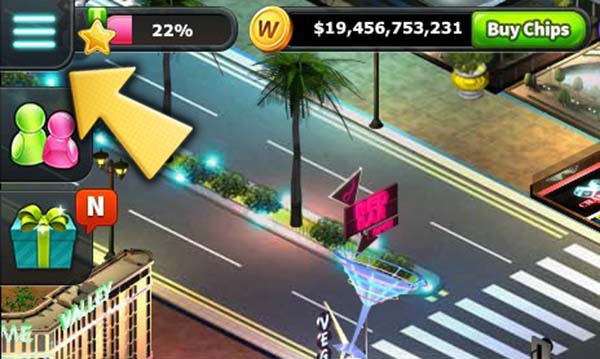
Step #1: Click on 3-bars button on the top-left corner of the game screen and “Status” next to your profile picture.
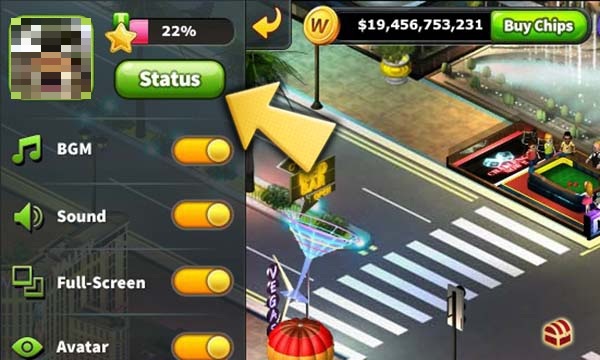
Step #2: You can find your ID number under your name.
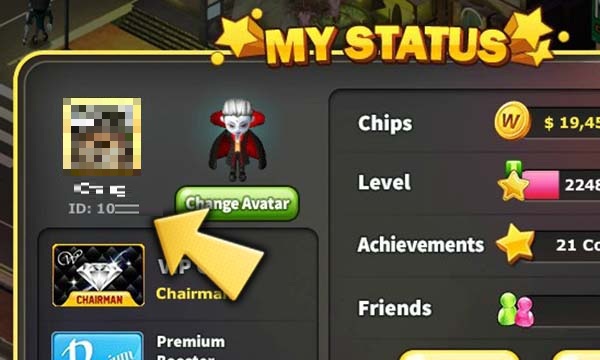
Step #1: Tap your profile picture on the game screen.

Step #2: You can find your ID number under your profile picture.

-
*Step #1. Install the latest version of Chrome or Safari
: Chrome is STRONGLY RECOMMENDED but you can also use Safari.(If you already have the latest version of Chrome, please skip this step.)Each browser has its own detailed steps. Please refer to the steps below:
*Step #2 (Chrome): Once Chrome's installed, follow the steps below
- Click Settings
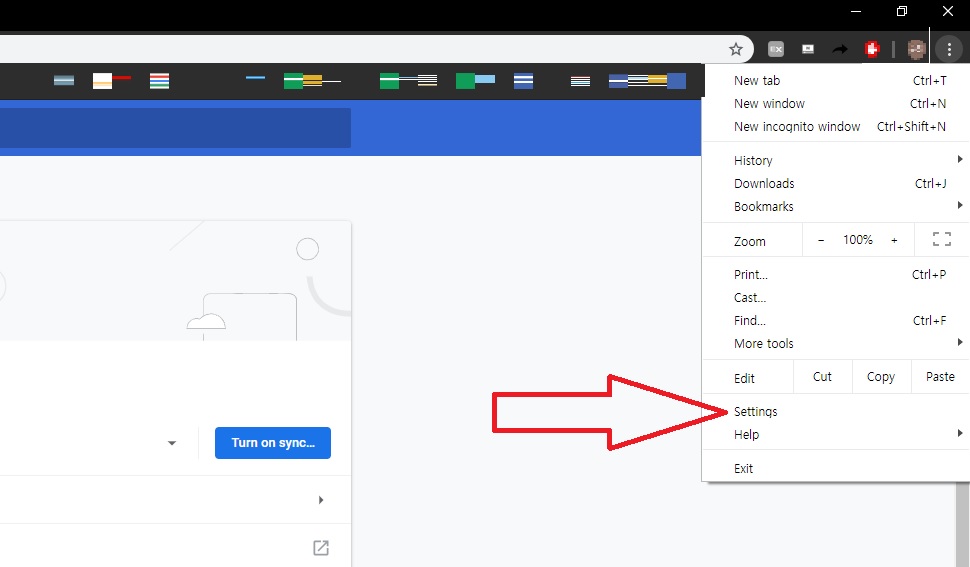
- Scroll down > Click "Advanced" > Click "Site Settings"

- Turn off "Block third-party cookies" option

- Close Chrome > Reopen Chrome > Load DoubleU Casino again > Load your slot game*Step #2 (Safari): Once Safari's installed, follow the steps below- Click "Preferences..." - Click the "Privacy" tab > Uncheck all the options in the "Website tracking" & "Cookies and website data" categories.
 - Refresh or close/reopen Safari > Load your slot game
-
*Step #1
First, download and install the latest version of both Flash Player and Google Chrome.
Click! ☞ Flash Player / Google Chrome
*Step #2: Change Chrome settings
- Click on the Chrome Menu in the browser toolbar > Select "Settings"
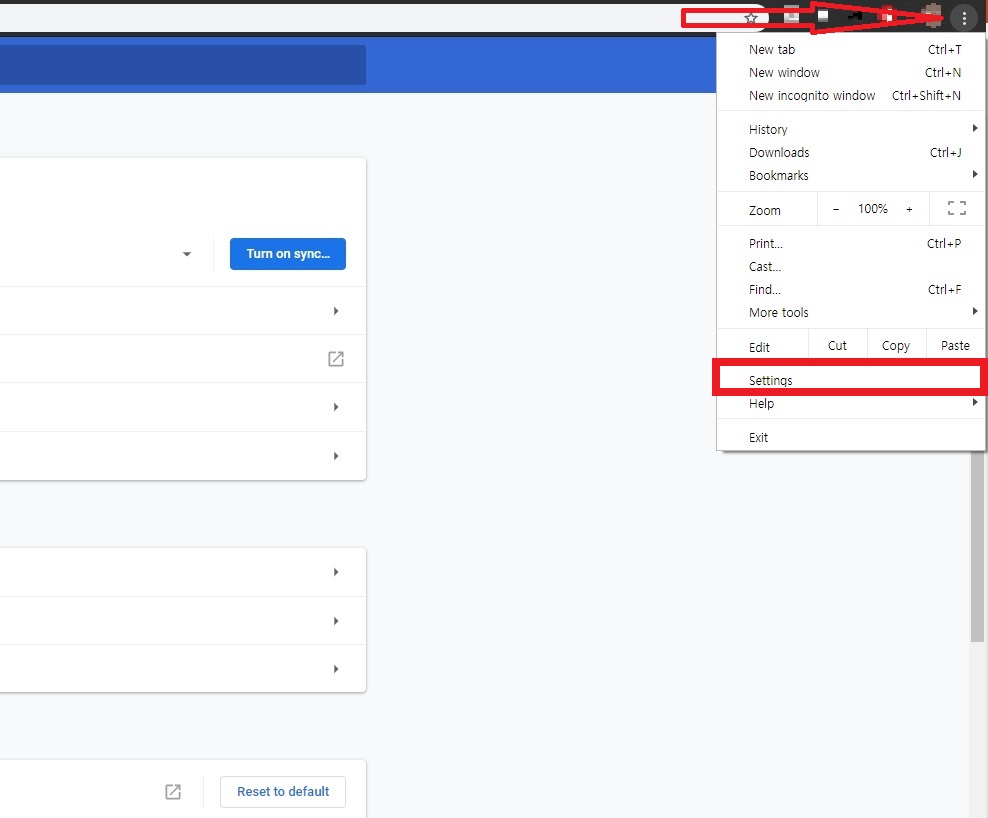
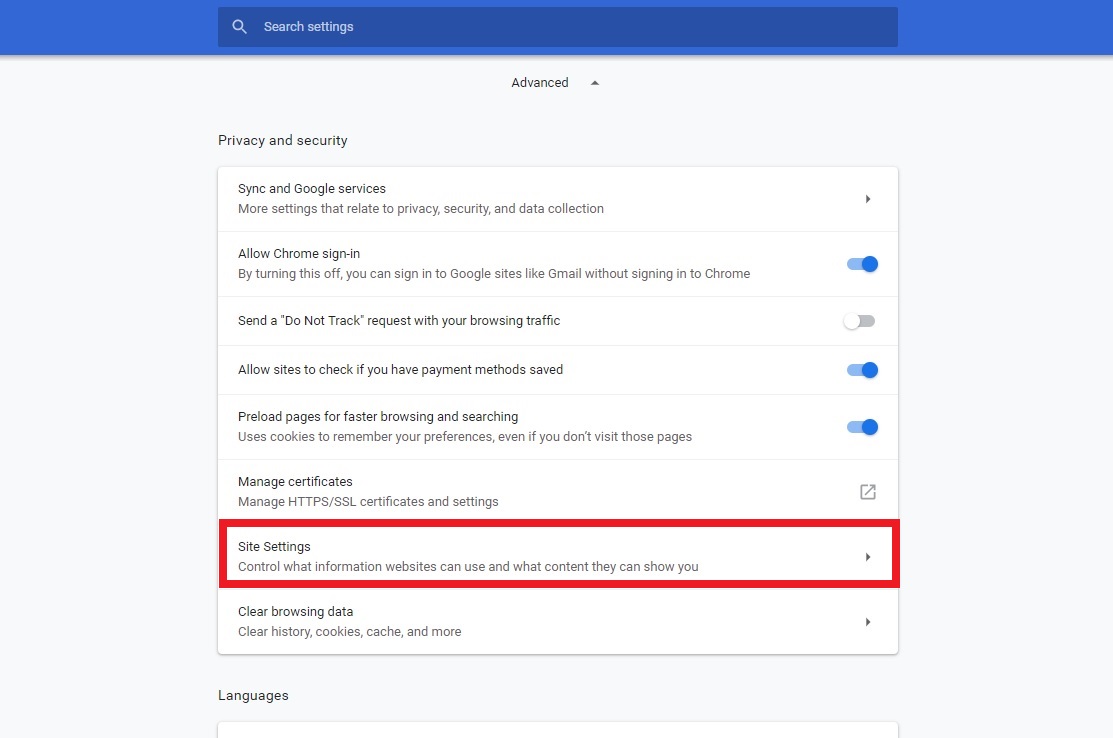
- Scroll down and click "Advanced"

- Select "Site Settings"
- Select "Flash"
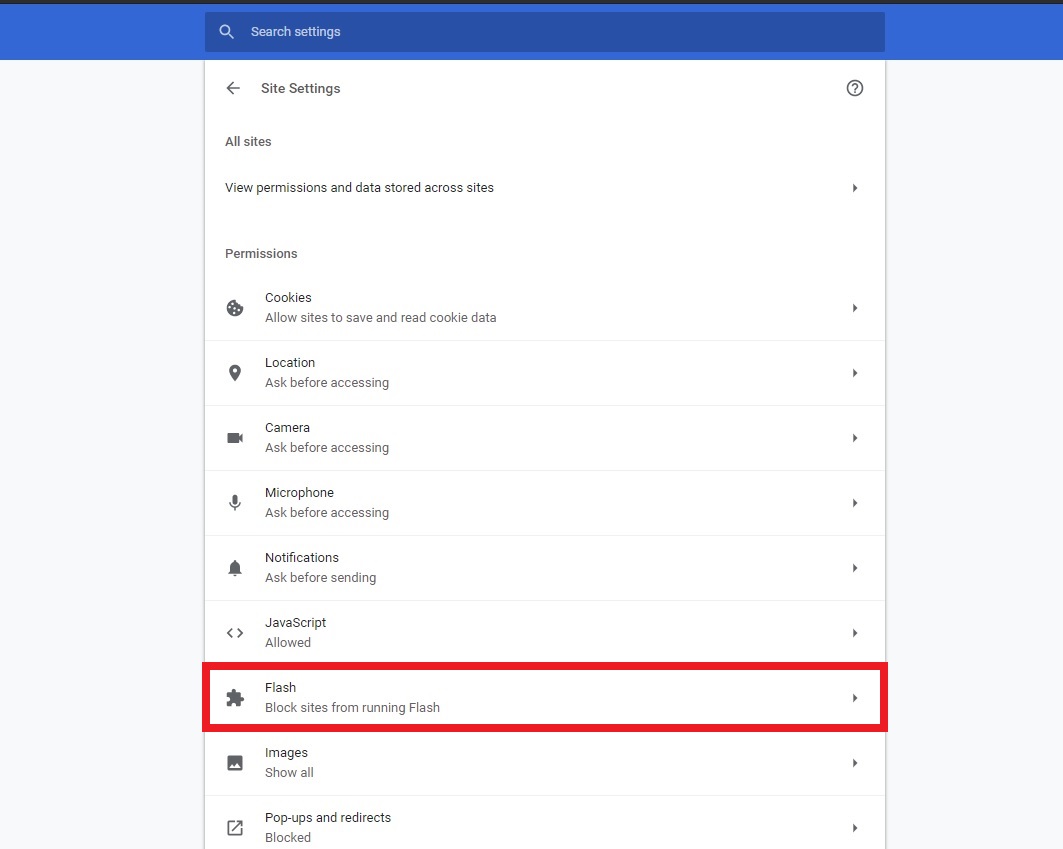
- Click "Block sites from running Flash"

- "Ask first (recommended)" is activated

*Step #3: Enable and run Flash
- Go back to DoubleU Casino and click the "ENABLE NOW" button.

- Click "Allow" on the "Run Flash" pop-up that appears in the top left corner.

-
*Step #1. Download the latest version of Chrome
: Chrome is STRONGLY RECOMMENDED
(If you already have the latest version of Chrome, please skip this step.)
☞ Download Chrome
*Step #2
: Once Chrome’s downloaded and installed, follow the steps below
- Click Settings

- Scroll down > Click “Advanced”

- Scroll down to find “System” > Turn on the “Use hardware acceleration when available” option

- Close Chrome > Reopen Chrome > Load DoubleU Casino again > Load your favorite slot game!
-
If your ad blocker is activated, you are likely to miss special bonuses and promotions running on DUC.
We strongly recommend turning off any "block" options in your ad blocker program when you play DUC.
(i.e. to turn off "block" in Google AdBlock; be sure to select the "Don't run on this page" option in your settings)

